
How to decide what to do about pre-existing online content…
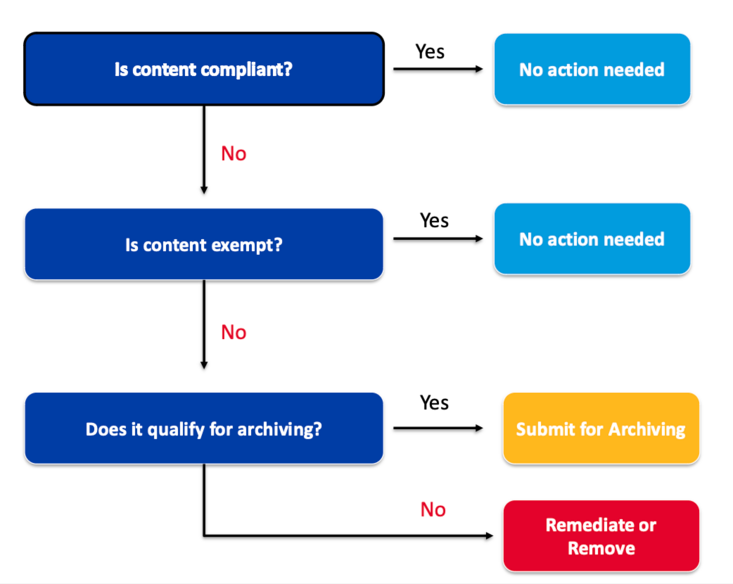
Does the content qualify for archiving?
- Are BOTH of these conditions met?
- It was created before April 24, 2026, or reproduces physical media created before this date; AND
- It is historical content that is outdated or superfluous and is being retained exclusively for reference or recordkeeping.
- If YES, then the content may be submitted for official archiving.
- Old Canvas courses are automatically archived in Canvas for three years before being transferred to a longer-term archive in K16. No additional action is needed.
- UCR already has officially archived hundreds of websites. To check if your content has been archived, visit UCR’s web archive.
- If you find your content, you may delete it from its original location and retrieve it from the archive later, if needed.
- To add your content to the archive, submit a request to ITS. After it has been added, delete it from its original location.
- Archived content that is subsequently retrieved and altered after April 24, 2026 no longer qualifies for archiving.
- Digital content that is essential for conducting university business, including instruction or research, should not be archived. Instead, the content should be remediated.
- If NO, then the content must be remediated (made compliant) or removed.
- Visit accessibility.ucr.edu/digital-accessibility for remediation guidance.
- If not remediated, non-compliant content should be made private or permanently deleted.